Showing posts with label Books. Show all posts

Sunday, July 1, 2007

The Adobe Photoshop Lightroom Book

The Adobe Photoshop Lightroom Book was written with photographers in mind. Best-selling author Martin Evening describes Photoshop Lightroom s features in detail from a photographer s perspective. As an established commercial and fashion photographer, Martin knows firsthand what photographers need for an efficient workflow. He s also been working with Photoshop Lightroom from the beginning, monitoring the product s development and providing feedback on the public beta. As a result, Martin knows the software inside and out, from image selection to image editing to image management. More

0 comments

Monday, June 18, 2007

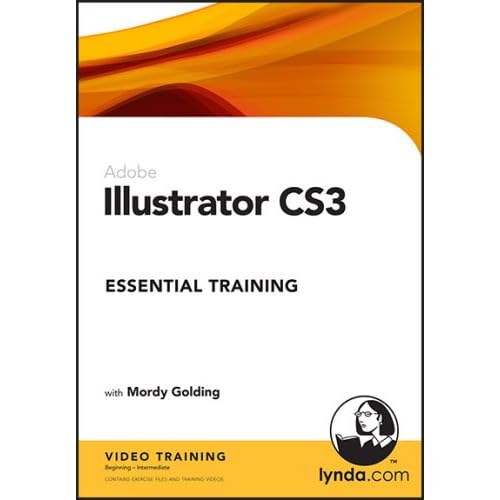
Illustrator CS3 Essential Training

In Illustrator CS3 Essential Training, instructor Mordy Golding teaches the basics of this application to new and experienced users alike. He then delves into Illustrator CS3's new features, demonstrating how to use each of the tools to its full potential. From the interface to the intricacies of the drawing tools, from transforming, editing, and positioning objects to applying filters and live effects, Illustrator CS3 Essential Training covers each aspect of this popular vector graphics application. Exercise files accompany the training.
Each lynda.com CD/DVD course offers hours of training movies that you watch on your computer. The movies are recorded in pixel-perfect quality, and include the authors' narration and movements as they teach the subject matter. Courses include the same project files that the instructors use, so you can follow along at your own pace. lynda.com tutorials are great for visual learners and people who like to learn by doing. Topics include software applications, workflow optimization, tips and techniques, and much more. Play, fast-forward, and rewind for easy learning. Get it

0 comments

Tuesday, June 12, 2007

The Designers Complete Index

The Designer's Complete Index. It's creative, powerful, inspiring and real - providing all the insight and problem-solving muscle a designer needs to produce the best work of their life.
This super-cool boxed set contains all three of Jim Krause's best-selling "Index" books, including Idea Index (graphic effects and typographic treatments), Layout Index (your secret weapon for effective, dynamic layouts) and Color Index (over 1100 color combinations with CMYK and RGB formulas). Each volume is packed with hundreds of stimulating ideas, creative solutions and practical instructions.
And the collector's box itself is a prize worth having, a slick yet practical carrying case you can use long after having put the books on your "most valuable resources" shelf. Buy from Vector Art Bookstore

0 comments

Wednesday, June 6, 2007

SVG For Designers: Using Scalable Vector Graphics in Next-Generation Web Sites

Book DescriptionCreate stunning and fast-loading Web graphics using this step-by-step guide. This detailed resource will help you to understand the code structure behind scalable vector graphics and shows you tools for building, modifying, and implementing SVG graphics in Web and other applications. Book InfoDetailed resource will help you to understand the code structure behind scalable vector graphics and shows you tools for building, modifying, and implementing SVG graphics in Web and other applications. Softcover. CD-ROM included.

0 comments

Friday, June 1, 2007

Creating Graphics in Flash CS3

Introduction
Flash offers a full suite of tools for creating and editing graphics. When you draw in Flash, you create vector art. Vectors are mathematical descriptions of lines and points that, when connected, form shapes and objects. Vector-defined art is not limited by resolution like bitmaps are so they can be scaled to any size without a loss in quality or increase in file size. This is the basis of Flash; the main reason Flash files are so small and why they can be deployed on so many platforms. Vector graphics are also fully editable after they are created so you can continue to adjust their properties. Included in Flash are many of the drawing tools and procedures familiar to the seasoned user of vector drawing programs. It is also a good place for the beginner to learn. Sketch naturally with the Pencil and Brush tools or use vector-based objects, such as the Rectangle or Oval tools or the Polystar tool. Use the Pen tool to create lines and shapes with Bézier curves. Whatever is drawn can be edited and modified with a variety of tools and palettes. When you select an object or graphic on the Stage, the Property Inspector displays the attributes of that object that are modifiable, such as fill and stroke color, position, and scale.
You can draw shapes in Flash using two drawing models: Merge Drawing and Object Drawing. The Merge Drawing model, the default (like previous versions of Flash), automatically merges shapes that you draw when you overlap them. If you select a shape that has been merged with another, and move it, the shape below it is moved too. The Object Drawing model allows you to draw shapes as separate objects that do not automatically merge together when you overlap them. You can now extend the Object Drawing mode by creating primitive rectangles and ovals in Primitive mode (New!), which allows you to edit properties in the Property Inspector and specify the corner radius of rectangles and inner radius of ovals. This makes it easy to create pie wedges, round off corners, and other curved shapes.
Adobe Flash CS3 Professional On Demand

0 comments

Design Portfolio

vector resources

Labels

VECTOR graphics EDITORS

Labels

Friends

design and illustration

Labels

Digital Art Blogs

vector art movement

Links

Labels

Vector Art Team

Digital Art Blog Directories